ScopeTakeoff
- Email hello@scopetakeoff.com
- Website www.scopetakeoff.com/
-
Atlanta, Georgia
- Text me
The Role of Estimating Software in Preparing More Organized Construction Bids
A construction bid can look fine at first glance and still have problems hiding inside it. Maybe a few materials were missed, labour costs were entered incorrectly, or someone used an old version of the quantity sheet. These things happen, especially when a team is working on several projects and the deadline is getting close.
This is where Construction estimating software can help. It gives estimators a more organised way to handle quantities, costs, and project details before a bid goes out. It doesn't do all the thinking for them, of course. But it can reduce the mess that comes with scattered spreadsheets, handwritten notes, and last-minute changes.
Start With the Drawings, Not a Guess
Before a contractor can price a job, they need to know what the job actually includes. Sounds obvious, but construction drawings can contain a lot of information, and missing one small item may affect the final number.
Take a flooring contractor preparing a bid for a commercial building. There are several rooms, different floor finishes, and areas that may need extra preparation. If the quantities are wrong, the material order and labour calculation can be wrong as well.
This is where Construction takeoff software becomes useful.
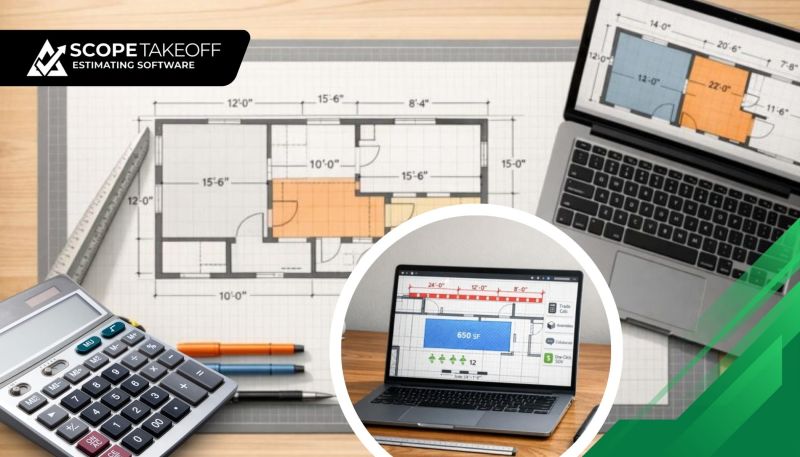
Instead of counting everything manually and writing the numbers on separate sheets, estimators can measure quantities from digital plans and transfer those measurements into their estimates. It keeps the figures together and reduces repeated data entry.
Still, someone needs to check the drawings and confirm the quantities. Software helps with the process; it doesn't remove the need for a careful review.
Stop Rebuilding Every Estimate From Scratch
One frustrating part of estimating is repeating work that has already been done.
A contractor may have priced similar concrete work several times, yet each new bid still involves looking up material costs, working out labour, and setting up the same calculations again.
Reusable assemblies and saved cost information can make this easier. The estimator enters the required quantities, reviews the applicable rates, and adjusts the numbers for the new job.
With Estimating software for contractors, useful information can be kept in one working process rather than spread across old spreadsheets and folders.
For example, an estimator might keep track of:
- Material and labour rates.
- Common tasks and assemblies.
- Equipment costs.
- Waste allowances.
- Markups and overhead.
Prices still need updating. Labour costs change, suppliers raise their rates, and a job in one location may cost more than a similar job elsewhere. Saved information is a starting point, not a reason to stop checking.
Give Every Bid a Clear Structure
A bid isn't just a final dollar amount. Someone may need to review it, compare it with another proposal, or check exactly what is included.
A messy estimate makes that harder.
Imagine sending a general contractor a spreadsheet with inconsistent item names, unexplained totals, and calculations hidden in different tabs. Even if the price is reasonable, the reviewer may have questions before they can move forward.
A structured estimate should make the main details easy to find.
Useful things to include:
- Work included in the price.
- Quantities and units.
- Material and labour costs.
- Any exclusions or allowances.
- Total price and applicable markup.
For subcontractors, organised proposal and Schedule of Values outputs can also reduce the need to reformat information before submitting a bid. ScopeTakeoff, for example, offers takeoff, estimating, and proposal outputs designed around subcontractor workflows.
Commercial Jobs Need Extra Attention
A small residential project and a large commercial job don't always have the same estimating requirements.
Commercial work may involve several drawing sets, different trades, detailed scope requirements, and formal bid submission documents. If the information is scattered across multiple files, checking the estimate becomes a job of its own.
Commercial estimating software can help keep quantities, costs, and bid details organised as the estimate develops.
Before submitting, an estimator should still check:
- Are all relevant drawing sheets included?
- Have the latest revisions been reviewed?
- Are labour and material rates current?
- Have exclusions been stated clearly?
- Does the final proposal match the estimate?
That last check is important. A carefully calculated estimate won't help much if the wrong total or an outdated scope makes it into the submitted bid.
Catch the Little Mistakes Before They Become Expensive
Not every estimating mistake is dramatic. Sometimes it's a missed line item, an incorrect unit, or a number copied from an older job.
Individually, these errors may seem small. Across a project, they can affect the margin.
A useful Estimating software setup can make calculations more consistent and keep related information together. Depending on the tool, quantities can feed into cost calculations, while saved versions and review workflows help teams check changes before submission.
A simple review routine is still worth following:
- Check the quantities against the drawings.
- Review material and labour rates.
- Look for missing work items.
- Confirm the markup and total.
- Have another team member review the bid when practical.
No software can promise that every bid will be error-free. The aim is to make mistakes easier to spot before they become costly.
Where ScopeTakeoff Fits In
For subcontractors who prepare bids regularly, ScopeTakeoff is one option to explore. Its platform includes PDF plan takeoff, trade-specific assemblies, automatic trade calculations, and proposal outputs. These features are intended to reduce repetitive work between measuring a project and preparing the bid.
The useful question isn't whether a tool has the longest feature list. It's whether it fits the way a contractor estimates.
A concrete estimator may care most about quantity calculations. A painting contractor may need a straightforward way to estimate coverage and labour. Someone handling several bids at once may value having projects and estimates organised in one place.
Before choosing a platform, try it with a real or familiar project. Check how easily quantities can be entered, how costs are adjusted, and what the final proposal looks like.
Final Thoughts
A construction bid doesn't need to be complicated to be thorough. It needs to show what the contractor is pricing, where the numbers come from, and whether the costs make sense.
Good estimating tools can help bring that information together. The estimator still has to check the plans, question unusual figures, and make sensible decisions about pricing.
For contractors tired of chasing numbers through spreadsheets, moving to a more organised process may be worth considering. The best setup is the one that helps the team prepare a clear bid without losing sight of the details that determine whether the job is worth taking.
Contact Information:-
Brand Name: ScopeTakeoff
Website: https://scopetakeoff.com
Click here for more information:
https://scopetakeoff.com/concrete-estimating-software/
https://scopetakeoff.com/flooring-estimating-software/
https://scopetakeoff.com/landscape-estimating-software/
Address: Atlanta, Georgia
Email: hello@scopetakeoff.com
Support Mail: support@scopetakeoff.com
Hashtags: #ConcreteEstimatingSoftware, #ConcreteContractorEstimatingSoftware, #ConcreteEstimatorSoftware, #ConcreteConstructionEstimatingSoftware, #ConcreteTakeoffSoftware, #FlooringEstimatingSoftware, #CommercialFlooringEstimatingSoftware, #FlooringTakeoffSoftware, #FlooringEstimateSoftware, #EstimatingSoftwareForFlooringContractors, #LandscapeEstimatingSoftware, #LandscapeTakeoffSoftware, #LandscapingEstimatingSoftware, #LandscapeConstructionEstimatingSoftware, #HardscapeEstimatingSoftware
Follow Us On:
https://www.pinterest.com/scopetakeoff/
https://www.twitch.tv/scopetakeoff/about
https://www.patreon.com/cw/scopetakeoff
https://www.reddit.com/user/scopetakeoff/